
Lightroom Mobile & Desktop Presets
Your photos,
edited your way.
Not a one-click fix — a starting point for your own style. Apply the look, make it yours, and finally build the feed you've always been editing toward.
Instant download · Works on iPhone, Android & Desktop · Free Lightroom app required


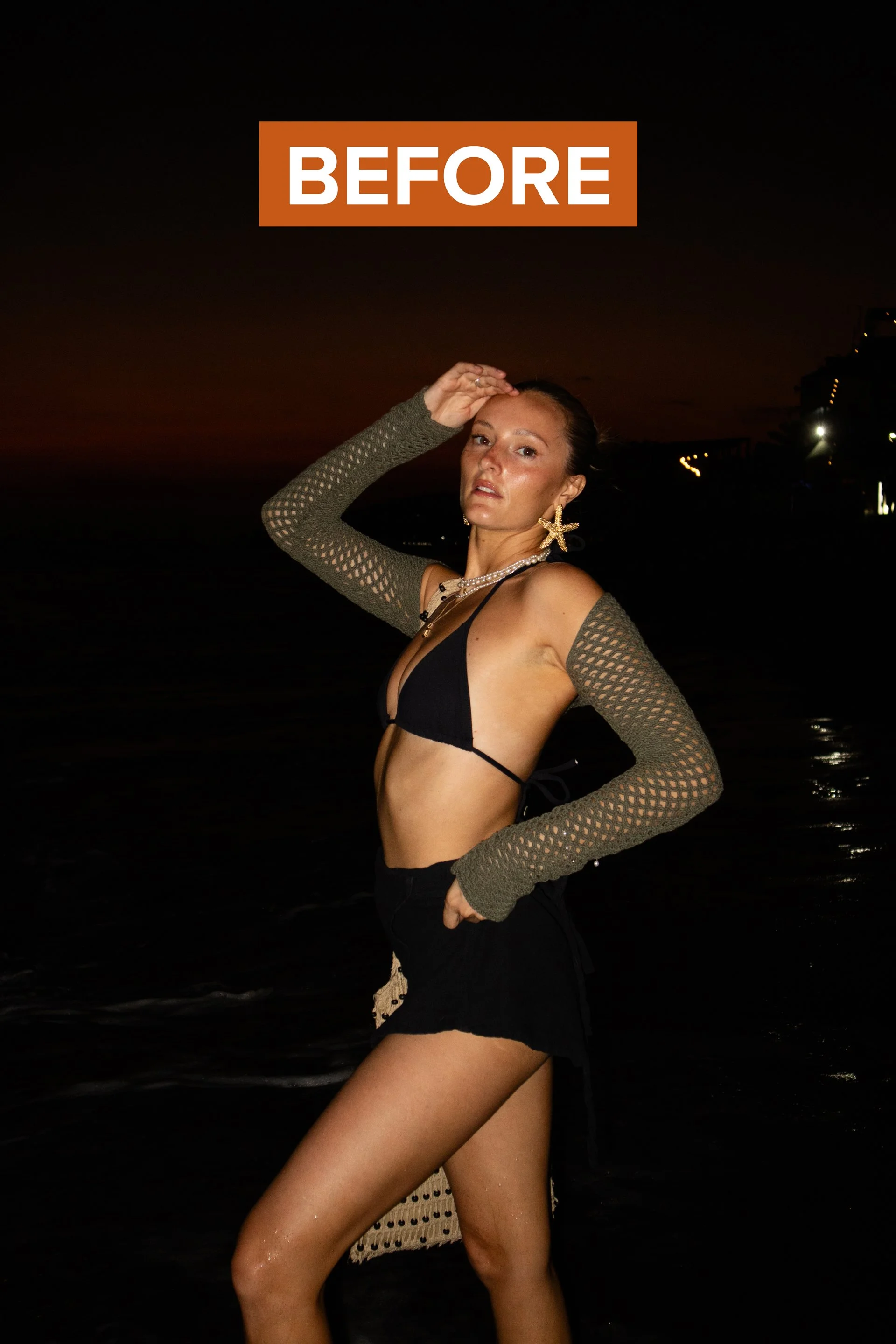
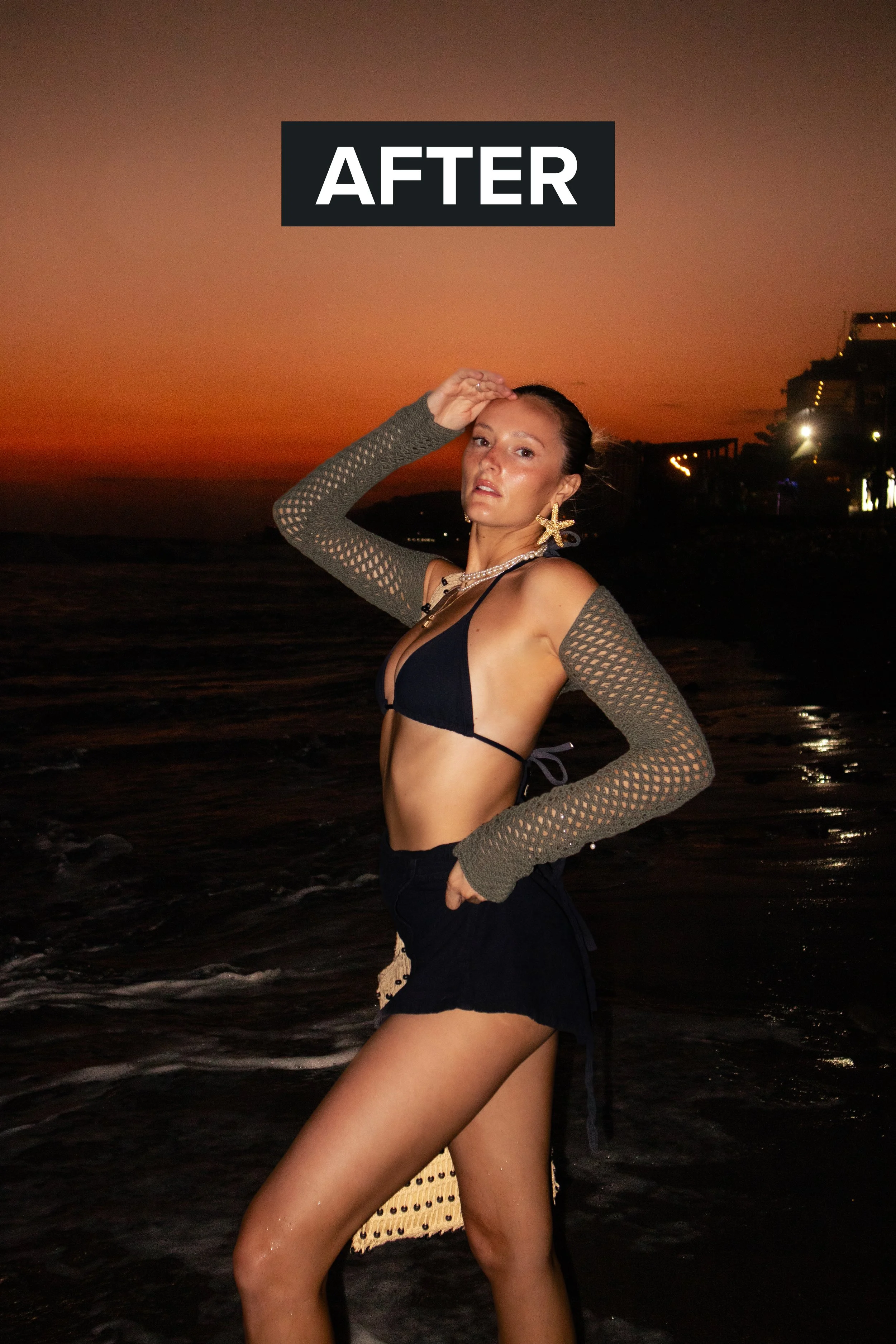
Simple as it gets
3 steps. 30 seconds.
No Photoshop. No complicated editing. No photography degree required.
Download
Purchase your preset pack and instantly receive a download link. No waiting, no physical shipping.
Import to Lightroom
Import your preset into the free Lightroom Mobile app (or desktop). Takes under 2 minutes — there's a video tutorial to walk you through it.
Apply & make it yours
Apply the preset as your starting point, then fine-tune any slider to match your photo and your taste. A head start, not a final answer.
Presets vs. everything else
Real edits. Not a flat filter.
There are a lot of ways to chase a look on your phone. Only one gives you real RAW control built for iPhone shooters — and you only pay for it once.
| KP PresetsYou're here | Tezza & editing apps |
Instagram filters |
Camera roll edit tools |
|
|---|---|---|---|---|
| Yours forever — one-time purchase | ✓ | ✕ | ✓ | ✓ |
| Slide the intensity up & down | ✓ | ✓ | ✓ | ✓ |
| Smart masks — smooth skin, brighten sky | ✓ | ✕ | ✕ | ✕ |
| Copy & paste onto all your photos | ✓ | ✓ | ✕ | ✓ |
| Tweak it & save your own spin-offs | ✓ | ✕ | ✕ | ✕ |
| Works free in the Lightroom mobile app | ✓ | ✕ | ✕ | ✕ |
| Optimized for iPhone photography | ✓ | ✕ | ✕ | ✓ |
| Built by a working travel photographer | ✓ | ✕ | ✕ | ✕ |
| Price | $8 once | $39.99/yr | Free | Free |
← swipe to compare →
The full collection
Find your perfect editing style
Every preset is made from Karlie's actual travel photography workflow — the exact looks you see on her blog and Instagram.
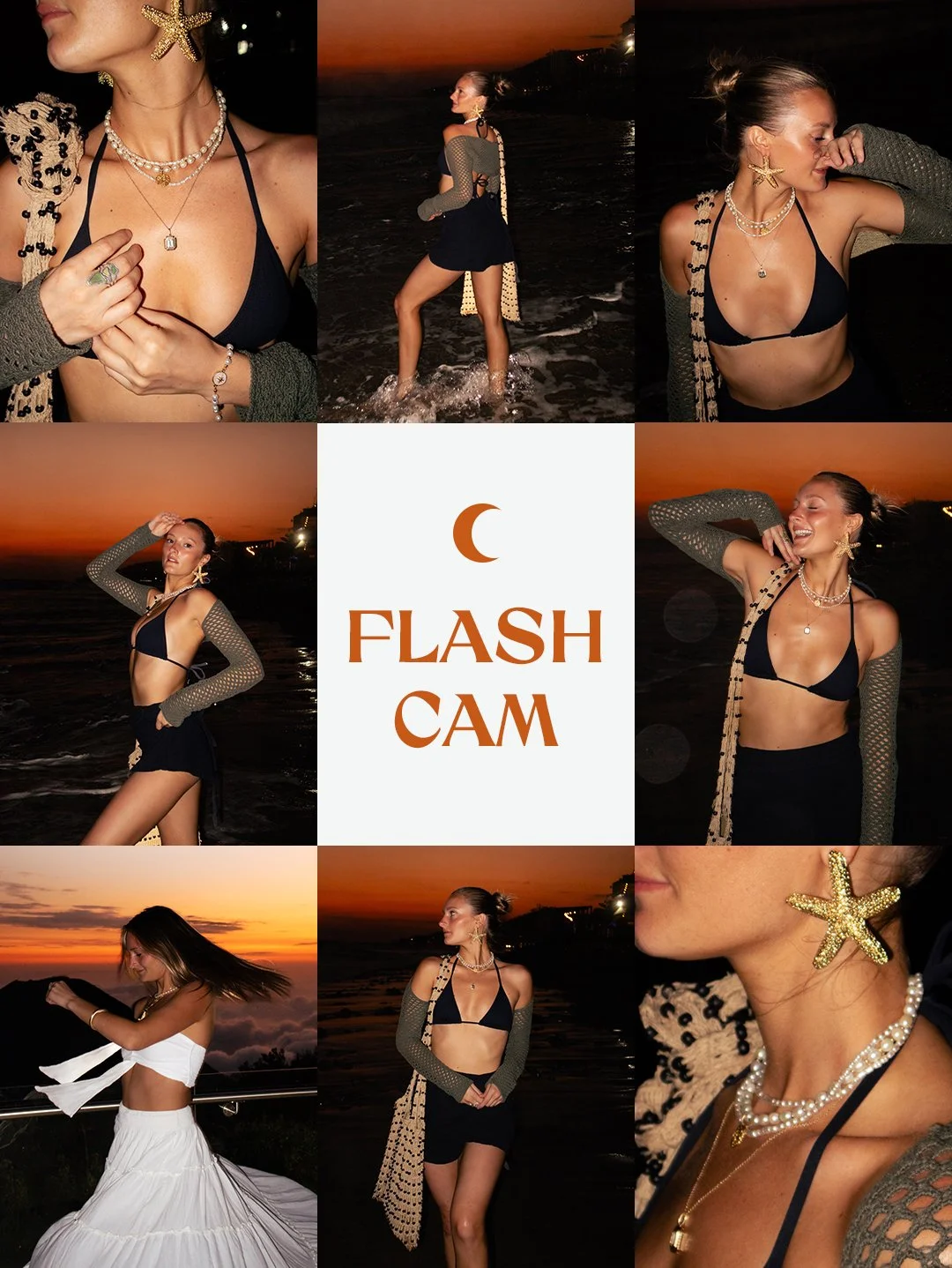
Mobile
Flash Cam Preset
Summer glow meets flash photography. Makes skin look sun-kissed, brightens backgrounds, and unlocks full-on goddess energy.

Mobile
Bali Babe Preset
Warm, golden, tropical. Perfect for beach photos, lush greenery, and that effortless travel look everyone wants to screenshot.
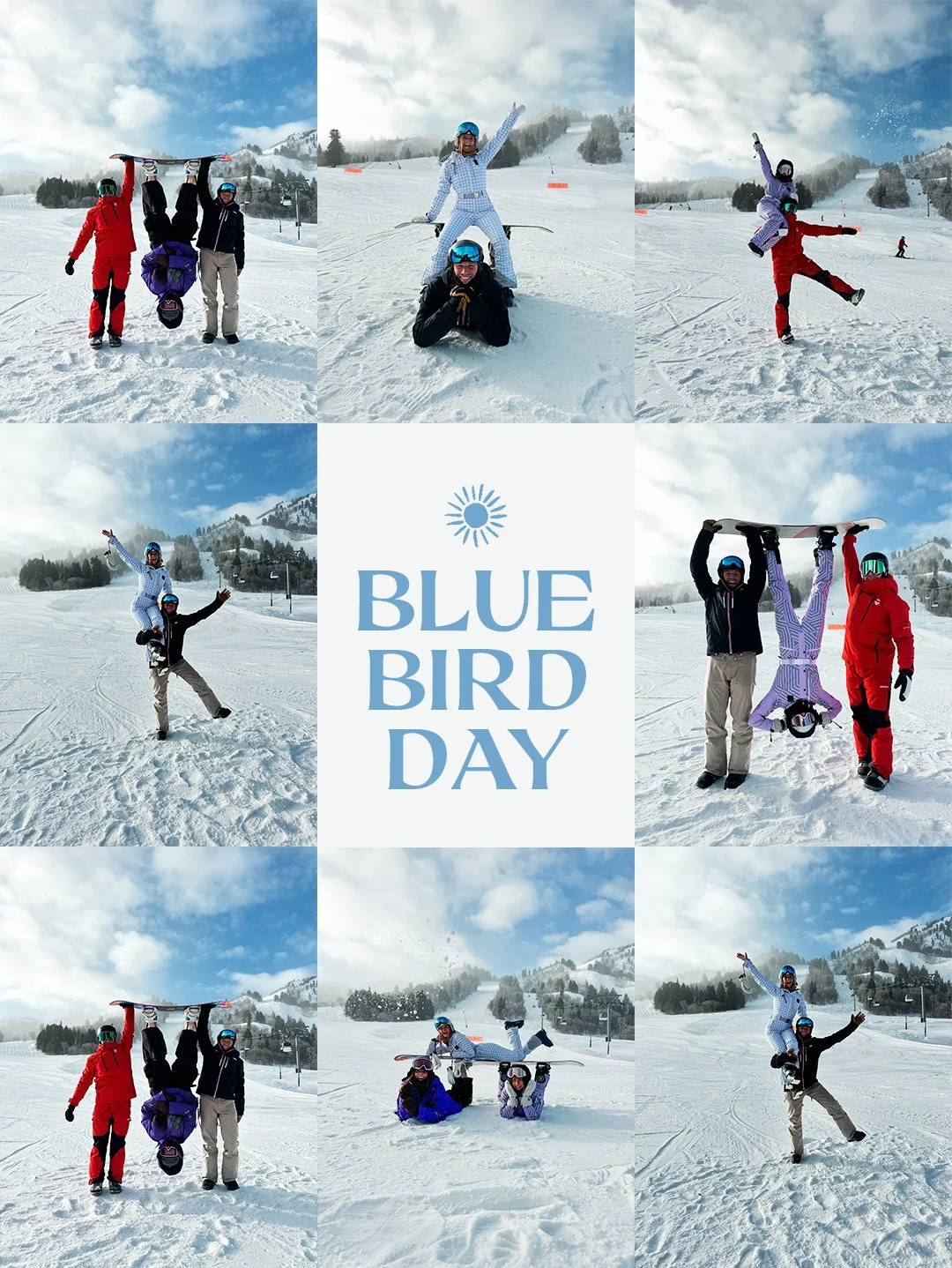
Mobile
Blue Bird Day Preset
Crisp, bright, and airy. Built for blue skies, mountain views, and wide-open landscapes. Your adventure photos deserve this.
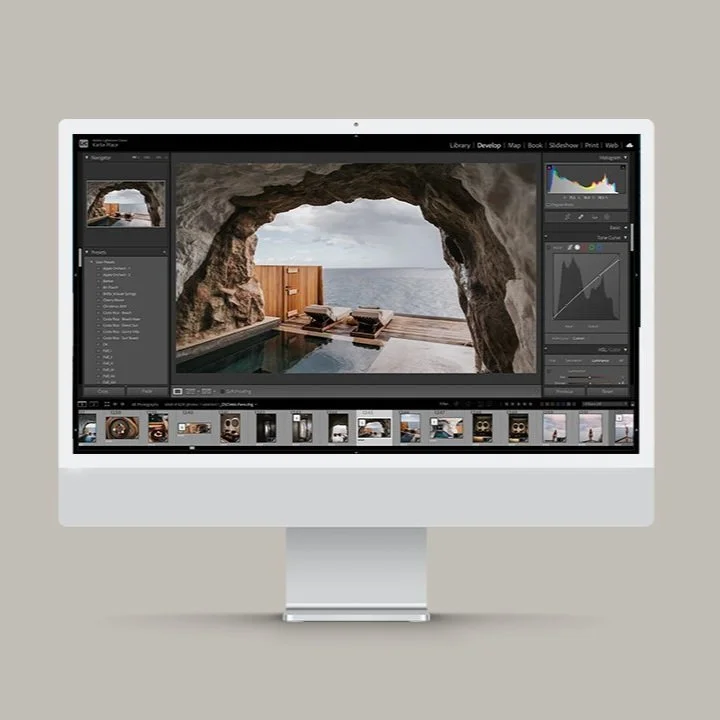
Desktop Bundle
KP Desktop Presets
The full desktop Lightroom collection. Multiple curated presets in one pack — Karlie's complete editing toolkit for pro-quality results.
First dibs, no FOMO
Want to know the second new presets drop?
I'm always cooking up new presets and digital products. Join the newsletter and you'll be the first to know when something new lands — plus early-bird pricing before it goes public.
- New preset & product drops first
- Early-bird pricing
- No spam, ever
Unsubscribe anytime. Your info stays with me.
Got questions?
Everything you need to know
What programs are these compatible with?
These presets work with Adobe Lightroom Mobile (free app on iOS and Android) and Adobe Lightroom Classic and CC on desktop. You do not need a paid Adobe subscription to use the mobile presets — the free Lightroom app is all you need.
What kind of images are these for?
These presets were designed for travel and lifestyle photography — golden hour landscapes, beach shots, lush nature, city streets, and portraits. They're optimized for photos taken on iPhone, Android, and most DSLR/mirrorless cameras. They work best on well-lit photos but are fully adjustable.
How do I get the presets into Lightroom?
After purchasing, you'll receive a download link instantly. The preset file imports directly into Lightroom Mobile or Desktop in just a few taps. I've made a step-by-step video tutorial that walks you through the whole install — it takes under 2 minutes.
Can I adjust the intensity of the preset?
Absolutely. Every preset is fully editable — it's a starting point, not a lock. You can dial up or down any individual slider (exposure, contrast, temperature, etc.) to match your specific photo or personal taste. The subject masking feature can also be toggled on or off.
What if the preset doesn't look right on my photos?
If you're having trouble getting the preset to look right, email me at hello@karlieplace.com and I'll personally help you troubleshoot it. Every photo is different and sometimes a quick lighting adjustment or white balance tweak makes all the difference. I want you to love your results.
Do I need to buy Lightroom?
Nope! The Lightroom Mobile app is completely free on both iPhone and Android. For the KP Desktop Presets, you'll need Lightroom Classic or CC, which requires an Adobe Creative Cloud subscription starting at around $10/month.
Need a hand getting your preset installed?
Presets are a starting point — you'll always fine-tune sliders to fit your own photos and taste, that's the fun part. But if you get stuck on the download or import, email me directly at hello@karlieplace.com and I'll personally walk you through it. No time limits, no runaround.
Ready when you are
Stop losing your photos to bad edits.
Your camera roll deserves better. Pick your preset, download in seconds, and start editing photos you're actually proud to share.
Curious what I actually shoot with?
Shop my camera gear
Every preset starts with the shot. These are the cameras, lenses, and travel kit I actually carry — the exact gear behind the photos on my blog and feed.
See my gear list →